Five Practical Tips for Mastering Prompt Weights


When writing prompts, you can influence the local effects in an image by adjusting the weights of words in the prompt. This is typically done using different symbols and numbers, as follows.
1.Adjusting weights with curly braces "{}"
If you add “{}” to a word, you can increase its weight by a factor of 1.05 to enhance its presence in the image.
2.Adjusting weights with parentheses "()"
If you add “()” to a word, you can increase its weight by a factor of 1.1.
3.Adjusting weights with double parentheses "(())"
If you use double parentheses, the weights are multiplied, increasing the word's weight to 1.21 times (1.1 × 1.1). You can nest these up to three levels (i.e., "((()))"), for a maximum multiplier of 1.331 (1.1 × 1.1 × 1.1).
For example, when generating an image with the prompt "1girl, shining eyes, pure girl, (full body:0.5), luminous petals, short hair, Hidden in the light yellow flowers, Many flying drops of water, Many scattered leaves, branch, angle, contour deepening, cinematic angle", you get the first image shown on the bottom.
However, if you apply three levels of nesting to "Many flying drops of water" (i.e., "(((Many flying drops of water)))"), you get the second image shown on the bottom. As you can see, the number of water drops has significantly increased.


4.Adjusting weights with square brackets "[]"
The symbols introduced earlier all add weight. If you want to decrease the weight, you can use square brackets to reduce the prominence of that word in the image. When “[]” is added, the inherent weight of the word is reduced by 0.9. Similarly, you can use up to three nested square brackets.
For example, the first image below was generated using the prompt '1girl, shining eyes, pure girl,(full body:0.5),(((falling leaves))),luminous petals, short hair, Hidden in the light yellow flowers, branch, angle, contour deepening, cinematic angle'.
The second image below shows the effect after applying three nested square brackets "[[[]]]" to the prompt 'falling leaves'. It is clearly visible that the number of falling leaves has decreased.
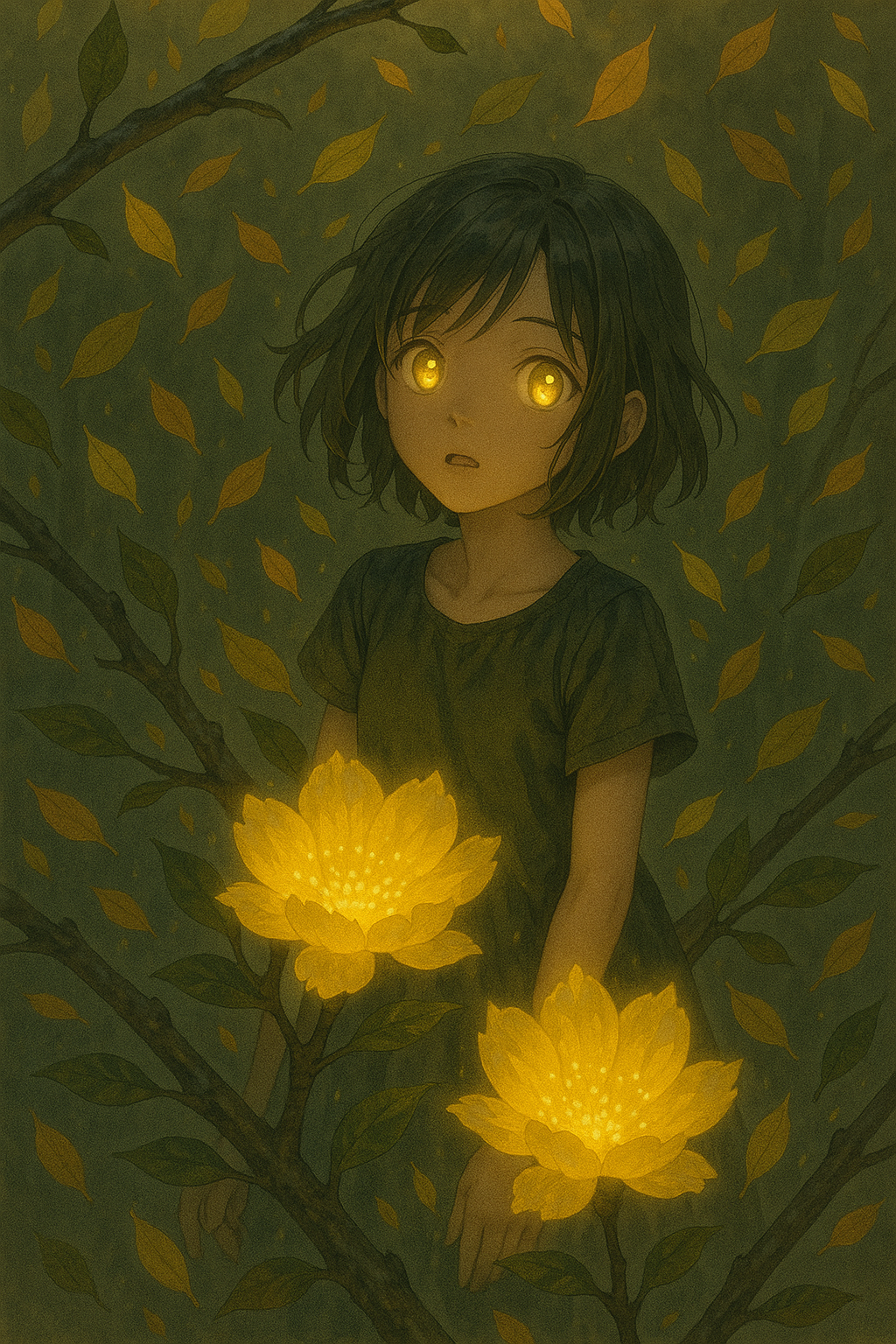
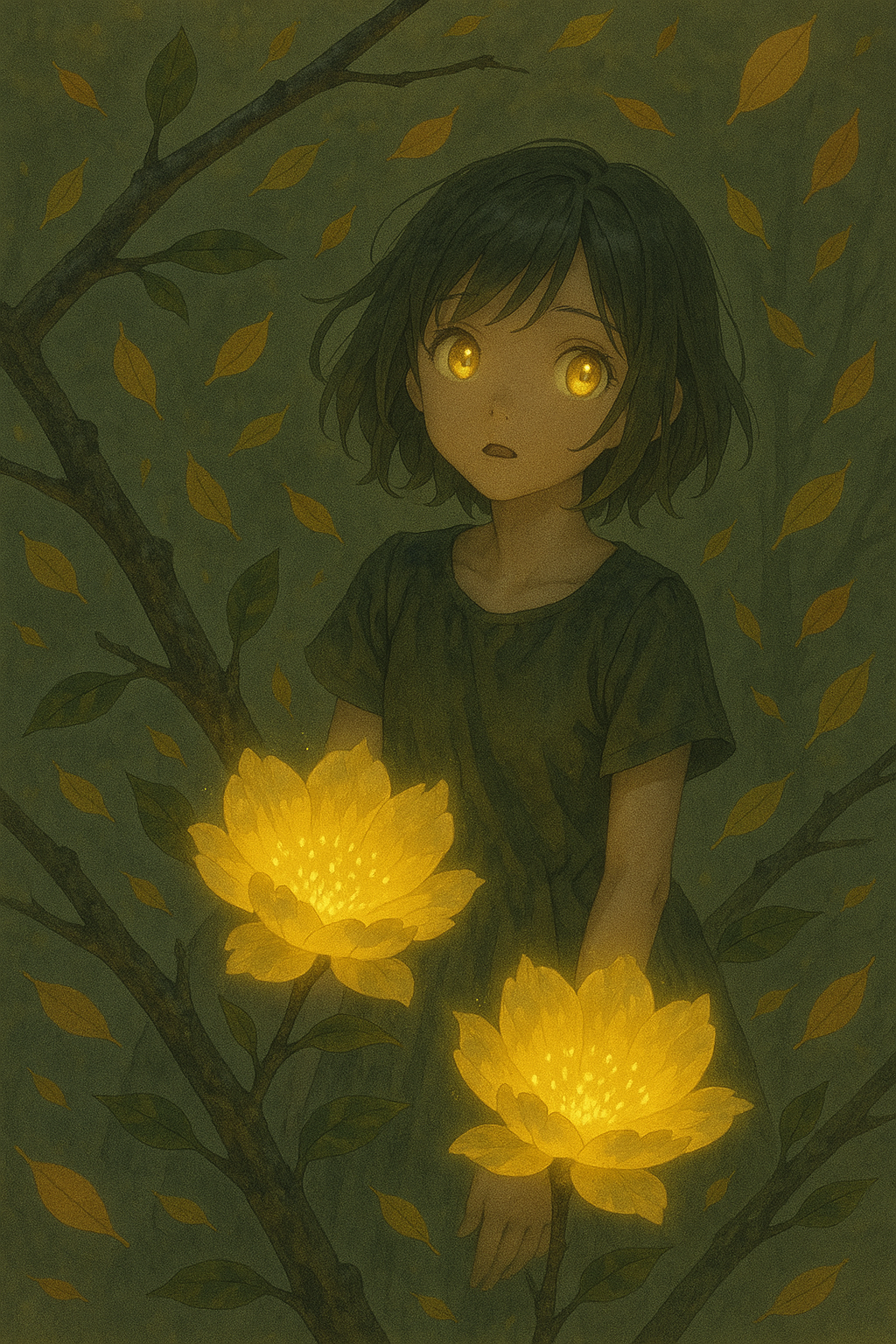
5.Adjusting weights with colon “:”
In addition to using brackets above, you can also use a colon followed by a number to modify weights.For example, (fractal art:1.6) means adding 1.6 times the weight to fractal art.
Tips and Strategies for Adjusting Weights
Tips for Adjusting Weights
After selecting a word in the positive or negative prompts, hold down the Ctrl key and the up or down arrow keys to quickly add brackets to the word and adjust its weight.
Strategies for Adjusting Weights
When adjusting weights, you can first generate an image with no weights assigned to the positive prompts. Then, based on the image's effects, increase or decrease the weights of certain words to precisely modify the image's effect. However, be careful not to reduce weights too much, causing them to disappear; increasing weights too much can completely alter the image's overall appearance.
Unlock Full-Powered AI Creation!
Experience ComfyUI online instantly:
https://market.cephalon.ai/share/register-landing?invite_id=RS3EwWJoin
our global creator community:
https://discord.gg/MSEkCDfNSWCollaborate
with creators worldwide & get real-time admin support.