Scribble and Lineart in ComfyUI: A Beginner-Friendly Guide


In ComfyUI, ControlNet models help users fine-tune and control how images are generated. Among them, Scribble and Lineart are two of the most commonly used edge-based sketch extraction models. They’re ideal for hand-drawn or line-art–style control.
This guide walks you through the basic concepts, how to choose the right preprocessor, and a simple workflow example to help beginners get started quickly.
1. Scribble Model Intro: Sketch-Style Line Extraction
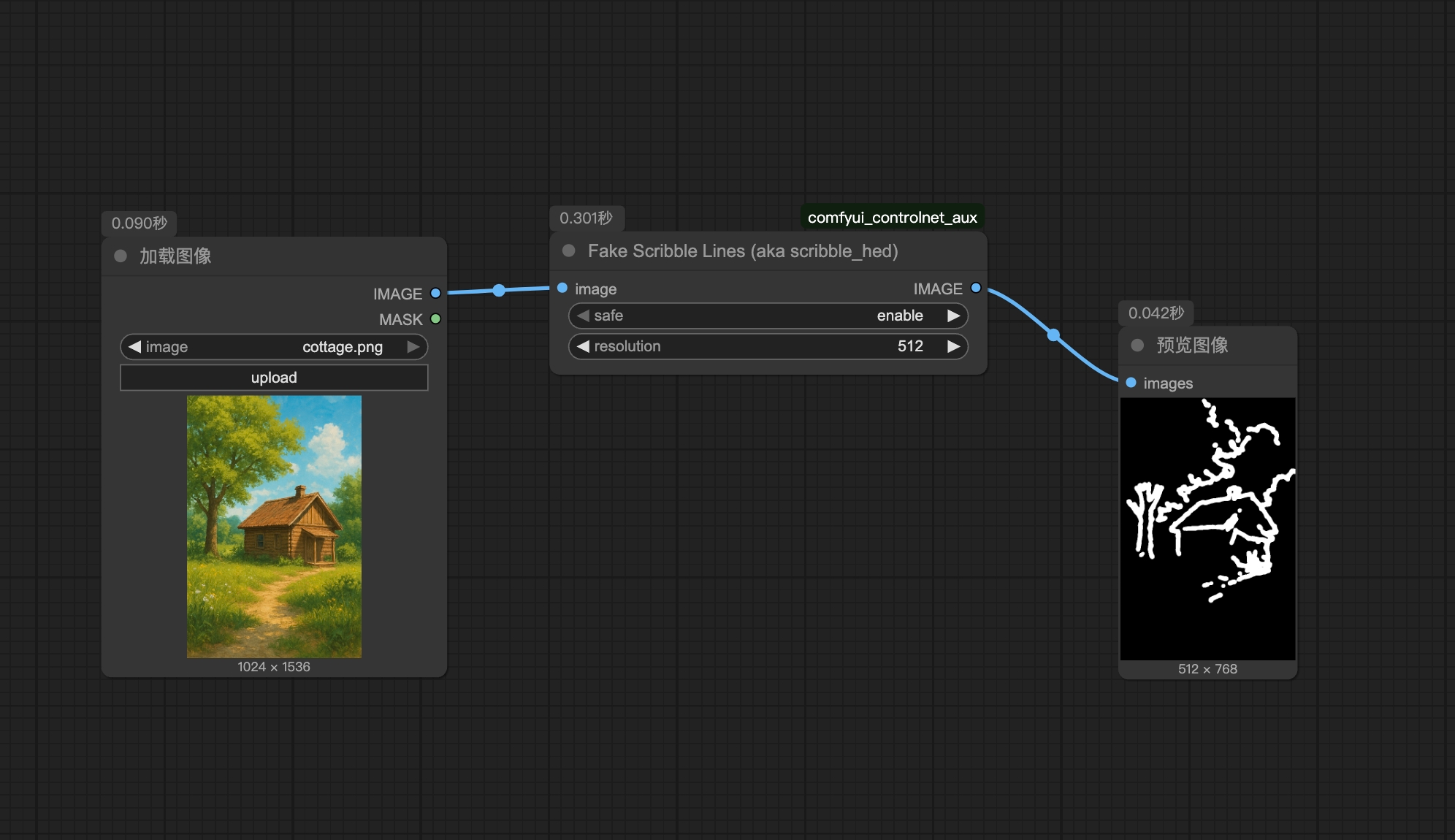
Scribble is an edge detection model that produces results resembling loose hand-drawn sketches.
Its lines are thicker and less precise, making it great for situations where you only need a rough outline and want Stable Diffusion to freely fill in the details.
For example, you can use it to turn a photo into a casual sketch and then generate a stylized image based on that outline.
2. Scribble Preprocessors: Four Types and How to Choose
Scribble provides four different preprocessor nodes, each with unique features and use cases:
- FakeScribble Preprocessor – Simulates a doodle-like effect using an approximate algorithm rather than real edge detection. Perfect for quick, rough sketch generation.
- Scribble Preprocessor – Converts an image into a simplified and abstract sketch with cleaner lines.
- ScribbleXDoG Preprocessor – This one uses the Extended Difference of Gaussian (XDoG) method for edge detection. The threshold setting controls how detailed the lines are — a lower value picks up more edges (even the faint ones), while a higher value keeps things clean and minimal.
- ScribblePiDiNet Preprocessor – Based on the Pixel Difference Network (Pidinet), this one is good at detecting both curves and straight edges for more precise line control.
Recommendation: If you’re new to ComfyUI, start with FakeScribble for its simplicity. For finer control over detail, try ScribbleXDoG.
3. What Is the Lineart Model: Detailed Line Extraction
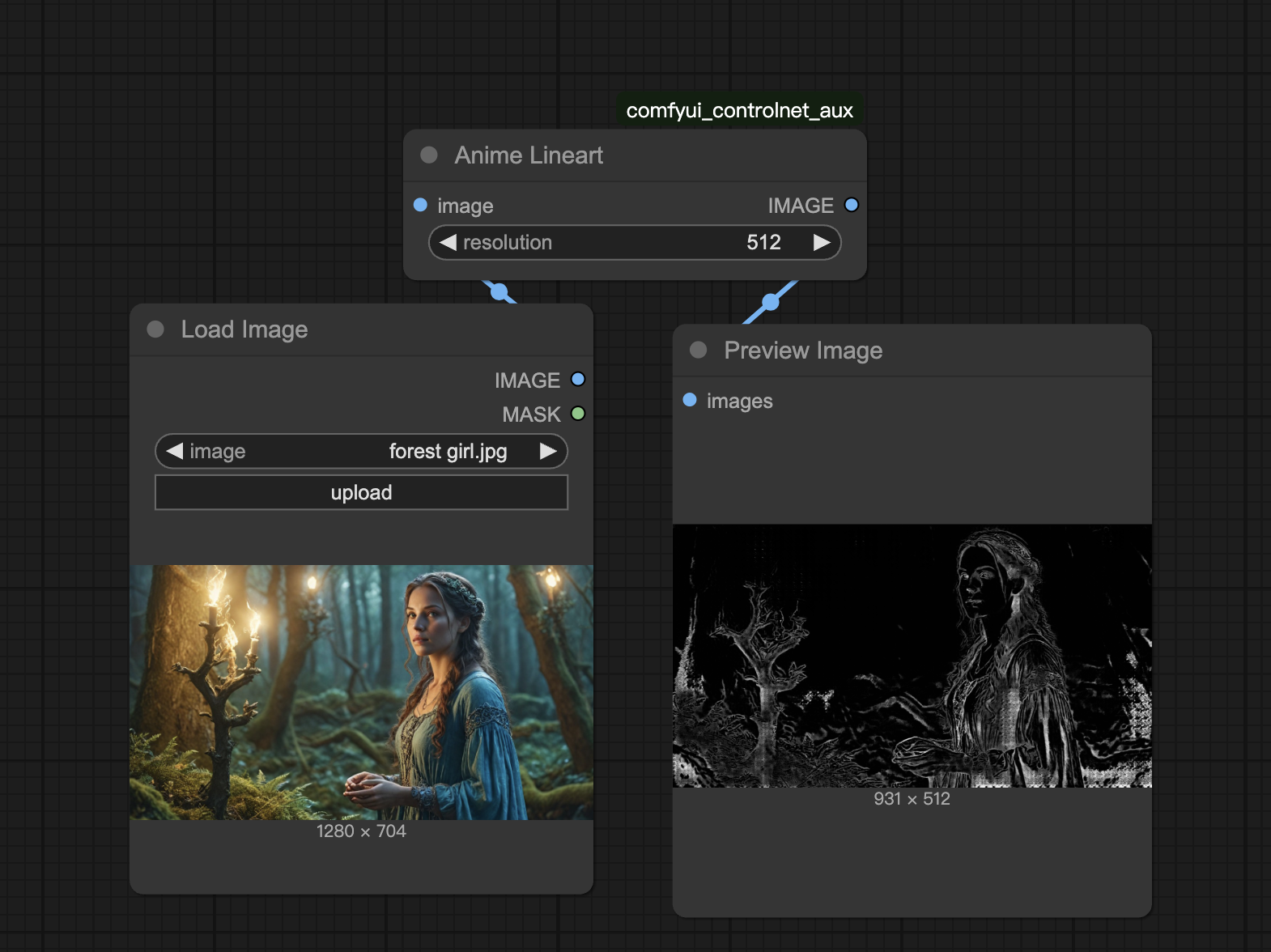
Lineart is another edge detection model, but it focuses on capturing clean, artistic lines.
Unlike Canny, which produces hard, computer-perfect outlines with uniform width, Lineart lines feel more hand-drawn — you can see subtle variations in thickness and brush-like texture.
It includes two main styles: realistic and anime, allowing you to choose based on your source image type.
4. Lineart Preprocessors: Four Variants and When to Use Them
Lineart provides four preprocessor nodes, each suited for different artistic effects:
- LineArt Preprocessor – Includes a Roughness option to simulate the irregular texture of hand-drawn lines.
- LineArtStandard Preprocessor – Controls Gaussian blur intensity via the
guassian_sigmaparameter. A smaller value results in sharper lines; a larger value makes lines smoother. - AnimeLineArt Preprocessor – Designed specifically for anime-style images, capturing clean and stylized linework.
- MangaAnime Preprocessor – Emphasizes sharp outlines, ideal for manga-like results.
Recommendation:
Use LineArt or LineArtStandard for real-world photos, and AnimeLineArt or MangaAnime for anime or comic images.
5. Building a Lineart Workflow: Simple Steps and Example
Lineart workflows are built the same way as Scribble ones — simply swap in a Lineart preprocessor.
Here’s a basic example using anime-style character re-styling:
- Set up a text-to-image workflow in ComfyUI and add your chosen Lineart preprocessor node (e.g., AnimeLineArt).
- Connect the ControlNet Loader and Apply nodes, and select the corresponding Lineart model.
- Connect the preprocessor output to ControlNet Apply and integrate the condition port between the Text Encoder and Sampler.
- Set prompts and parameters (like image size and sampling steps), then generate the image.
For instance, you can upload an anime character, extract its line art using AnimeLineArt, and then change its visual style — say, from casual attire to a fantasy outfit. Lineart helps preserve structure while allowing the model to freely reinterpret the style.
Unlock Full-Powered AI Creation!
Experience ComfyUI online instantly:
https://market.cephalon.ai/share/register-landing?invite_id=RS3EwW
Join our global creator community:
https://discord.gg/MSEkCDfNSW
Collaborate with creators worldwide & get real-time admin support.